"Border Property in HTML: A Comprehensive Guide"
The border property in HTML is a fundamental aspect of styling web pages, enabling you to add borders around HTML elements. It's a simple yet powerful tool that can significantly enhance the visual appeal and organization of your content. In this article, we'll delve into the world of HTML borders, exploring their syntax, attributes, and best practices.
Understanding HTML Borders
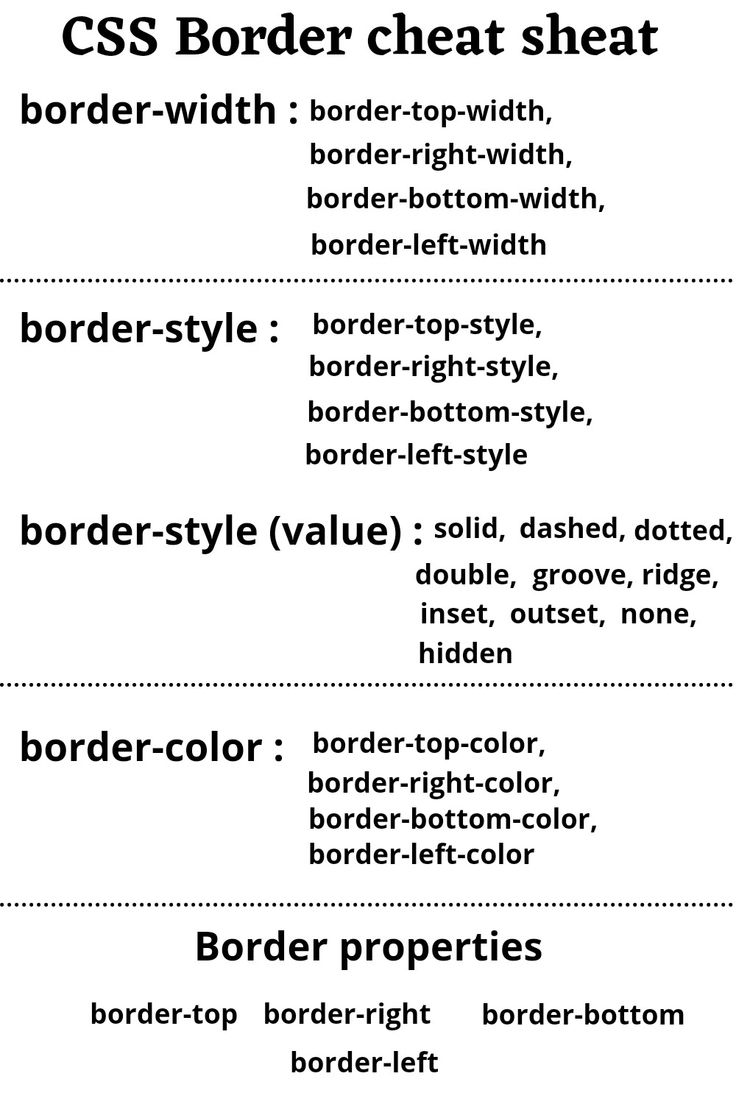
Borders in HTML are defined using the `border` property, which is a shorthand for several other properties. These include `border-width`, `border-style`, and `border-color`. By default, HTML elements don't have any borders, but you can add them using CSS.
Syntax and Values
The basic syntax for the `border` property is as follows:


Here's what each value represents:
- width: Defines the thickness of the border. It can be set in pixels (px), ems (em), or any other valid CSS unit.
- style: Determines the appearance of the border. It can be set to `solid`, `dashed`, `dotted`, `double`, `groove`, `ridge`, `inset`, `outset`, or `none`.
- color: Sets the color of the border. It can be a color name, hex code, RGB value, or any other valid CSS color value.
Individual Border Properties
While the `border` shorthand is convenient, you can also set each border property individually:


border-width: Sets the thickness of the border.border-style: Determines the appearance of the border.border-color: Sets the color of the border.
For example:
```html element { border-width: 2px; border-style: dashed; border-color: blue; } ```Border Radius
To soften the corners of an element with a border, you can use the `border-radius` property. It accepts a length value, which represents the radius of the corner curvature. You can also use different values for each corner.
For instance, to create rounded corners for a box with a border:


Browser Support
Border properties are well-supported across all modern browsers. However, for the best compatibility, it's always a good idea to test your designs on different browsers and devices.
Best Practices
While borders can greatly enhance the look and feel of your web pages, it's essential to use them judiciously. Here are a few best practices:
- Use borders consistently to create a visual hierarchy and guide users through your content.
- Choose border colors that complement your design and improve readability.
- Avoid using borders excessively, as they can clutter your design and make it difficult to read.
- Consider using box shadows instead of borders for a more modern, flat design aesthetic.
In conclusion, the border property in HTML is a versatile tool that can help you create visually appealing and organized web pages. By understanding its syntax, attributes, and best practices, you can harness the power of borders to enhance your designs and improve user experience.




Related Articles

"Planting Shrubs Along Property Line: A Comprehensive Guide"
Planting shrubs along your property line can serve multiple purposes - from privacy and noise reduction to enhancing your home's curb appeal. However, it's...

"Types of Property Markers: A Comprehensive Guide"
Property markers, also known as boundary markers or survey monuments, play a crucial role in defining and establishing the boundaries of properties. They are...

Property Line Walk: Your Comprehensive Guide
Embarking on a property line walk, also known as a boundary survey, is a crucial step when buying, selling, or developing a property. This process involves...

"Kentucky Property Line Laws: Your Comprehensive Guide"
Understanding Kentucky property line laws is crucial for homeowners, buyers, and sellers to ensure they are respecting their neighbors' property rights and...

Indiana Property Line Laws: A Comprehensive Guide
Indiana Property Line Rules: A Comprehensive Guide Property lines are the invisible boundaries that separate one piece of land from another. Understanding...

"Kentucky Property Shooting Laws: Your Comprehensive Guide"
If you're a Kentucky resident interested in shooting on your property, it's crucial to understand the state's laws and regulations to ensure safety and...