"Christmas Stocking Design Template: Free & Easy DIY Ideas"
Embarking on a quest to create personalized Christmas stockings this year? A well-designed Christmas stocking template is the perfect starting point for a festive and unique addition to your holiday decor. This article will guide you through the process of creating your own Christmas stocking design template, ensuring it's not only visually appealing but also SEO-friendly, making it easier for others to find your creation online.
Understanding Christmas Stocking Design
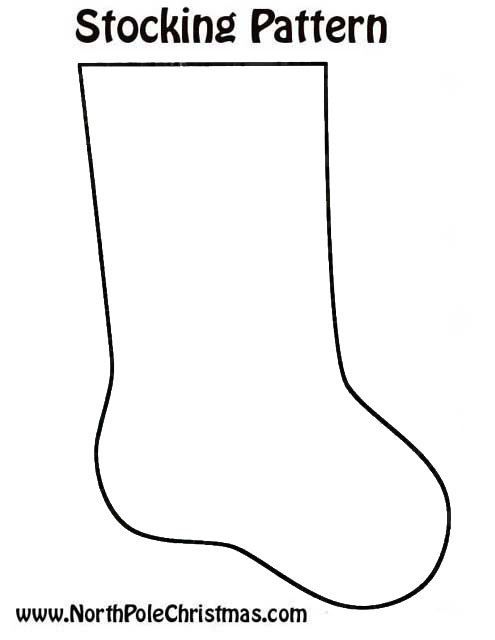
Before diving into the design process, it's crucial to understand the basic elements of a Christmas stocking. Traditionally, stockings are designed to hang from a mantelpiece or chimney, with an open top for gifts and a closed toe to prevent them from falling out. They often feature a reinforced top for hanging and may include a pom-pom or tassel at the toe. Familiarizing yourself with these elements will help you create a functional and visually appealing template.
Choosing Your Design Software
Selecting the right design software is vital for creating a high-quality, customizable Christmas stocking template. Adobe Illustrator and Inkscape are popular choices among designers, offering a wide range of tools for creating vector graphics. For those new to design software, Canva and PicMonkey provide user-friendly interfaces with pre-built templates and drag-and-drop functionality.


Designing Your Christmas Stocking Template
1. Size and Shape
Determine the size and shape of your stocking, considering the intended recipient's age and the gifts they'll be receiving. Standard adult stockings measure around 12" x 18", while children's stockings can be smaller. For a classic look, opt for a curved, elongated shape with a reinforced top. Alternatively, explore unique shapes like hearts, stars, or even animal silhouettes for a more whimsical design.
2. Color Scheme
Select a color scheme that complements your holiday decor and appeals to the intended recipient. Traditional Christmas colors include red, green, and gold, but don't be afraid to incorporate other shades for a more personalized touch. Consider using a color wheel to create harmonious color combinations, or draw inspiration from popular color trends for the season.


3. Patterns and Textures
Add visual interest to your stocking template with patterns and textures. Incorporate festive elements like holly, snowflakes, or candy canes, or opt for more abstract designs like geometric shapes or watercolor washes. Textures can be added using brush tools in your design software or by importing high-resolution images and applying them as clipping masks.
4. Personalization
Make your Christmas stocking template truly unique by incorporating personal elements. Add the recipient's name in a festive font, or include a special message or quote. You can also customize the stocking with the recipient's initials, birthdate, or a significant symbol, such as a zodiac sign or favorite animal.
5. Reinforced Top and Hanging Loop
Ensure your stocking template includes a reinforced top for hanging and a loop or pom-pom at the toe. Design the reinforcement as an integral part of your stocking's aesthetic, incorporating it into your pattern or using a complementary color. The hanging loop can be as simple as a small, reinforced circle or as elaborate as a festive bow or tassel.


Optimizing Your Christmas Stocking Template for SEO
To make your Christmas stocking template more discoverable online, incorporate SEO best practices into your design and promotion. Use relevant keywords in your template's title, description, and tags, such as "Christmas stocking template," "personalized stocking," and "DIY holiday decor." Create high-quality, shareable images of your template and include descriptive alt text to improve accessibility and search engine visibility.
Promoting Your Christmas Stocking Template
Share your Christmas stocking template on social media platforms, design communities, and holiday decor websites to reach a wider audience. Engage with your followers by asking for feedback and encouraging them to share their own creations using your template. Collaborate with other designers or influencers to cross-promote each other's work and expand your reach.
- Pinterest: Create boards dedicated to your Christmas stocking template, sharing inspiration, work-in-progress images, and finished designs.
- Instagram: Share high-quality images of your template, using relevant hashtags and engaging with your followers in the comments.
- Design Communities: Share your template on platforms like Dribbble, Behance, or Reddit's r/design community to gain feedback and exposure.
Conclusion
Creating a Christmas stocking design template is an exciting way to add a personal touch to your holiday decor. By understanding the basic elements of stocking design, choosing the right software, and incorporating personalization, you can create a unique and festive template that will be cherished for years to come. Don't forget to optimize your template for SEO and promote it across various platforms to share your creativity with the world.


| Template Name | Size | Color Scheme | Patterns/Texture | Personalization |
|---|---|---|---|---|
| Classic Red and Green Stocking | 12" x 18" | Red, Green, Gold | Candy Canes, Holly | Recipient's Name |
| Modern Geometric Stocking | 14" x 20" | Navy, Mint, Silver | Geometric Shapes | Initials and Birthdate |
Related Articles

"Simple Menu Design Ideas: Free Templates & Inspiration"
Simple Menu Design Ideas Template Free In the culinary world, a well-designed menu can significantly enhance the dining experience and boost your restaurant's...

DIY Christmas Stocking Holders: Easy & Stylish Ideas for Your Mantel
Are you looking to add a personal touch to your Christmas decor this year? DIY Christmas stocking holders are a fun and creative way to do just that. Not only...

"Simple & Easy Stocking Decorations: DIY Ideas for Christmas"
Transforming your stockings from ordinary to extraordinary is a delightful way to add a touch of magic to your holiday season. Simple stocking decorations can...
"Christmas Stocking DIY Pattern: Free Tutorial & Printable Template"
Create Magical Memories: DIY Christmas Stocking Patterns Christmas is a time for traditions, and one of the most beloved is the humble Christmas stocking...
"Christmas Stocking Template PDF: Free Printable Designs for Kids"
Are you searching for a festive way to add a personal touch to your Christmas gifts? Look no further than a Christmas stocking template PDF! These printable...

"Restaurant Menu Design Ideas: Free Templates & Inspiration"
Creating an appealing and functional restaurant menu is a critical aspect of running a successful dining establishment. A well-designed menu not only showcases...